
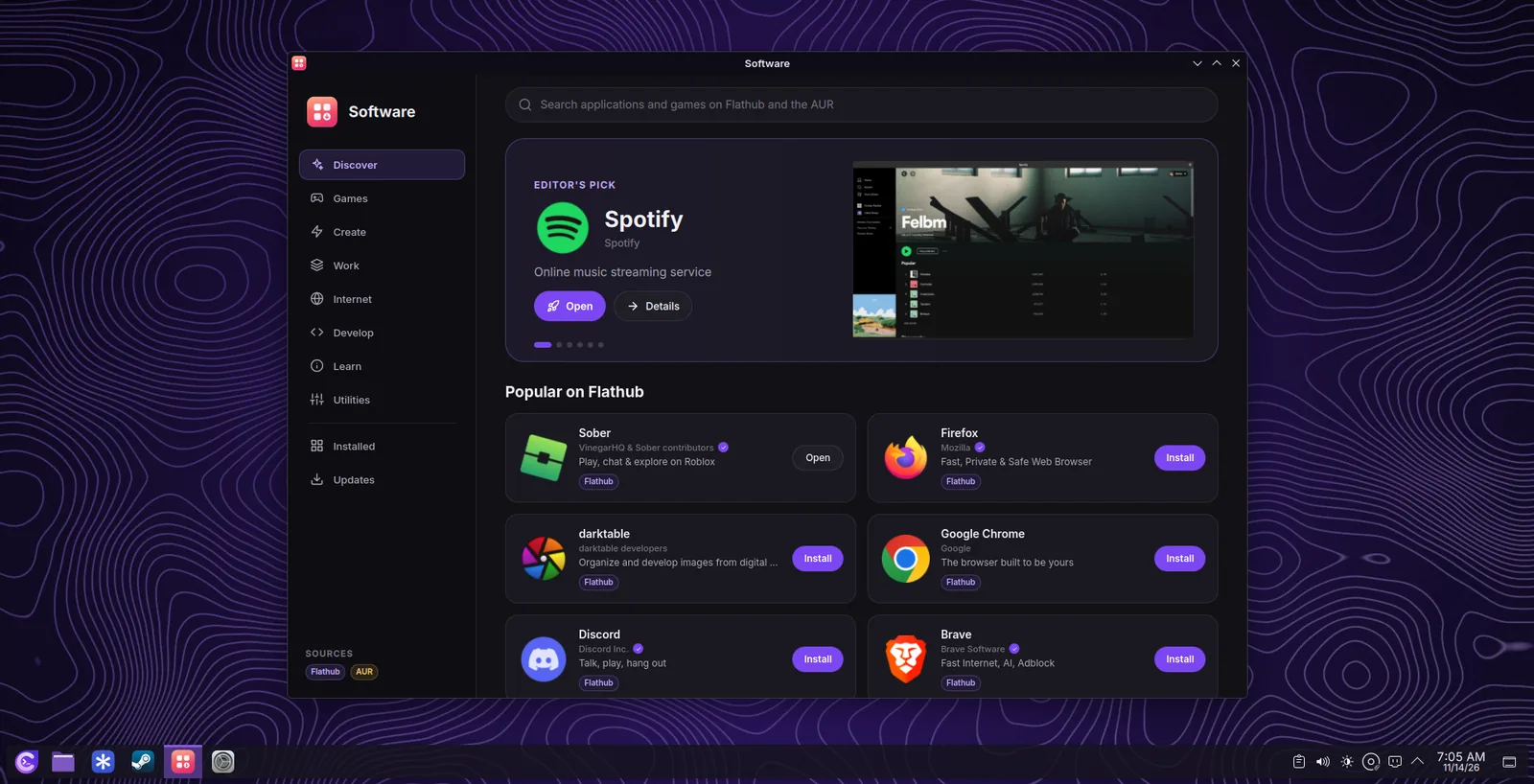
Install updatesPasang kemas kini
- Open UpdatesBuka Updates
Open Software and choose Updates, or choose Update Now in its notification. Check Now looks for updates at once.
Buka Software dan pilih Updates, atau pilih Update Now dalam pemberitahuannya. Check Now mencari kemas kini serta-merta.
- See what changesLihat apa yang berubah
Every update shows what it is (kernel, graphics driver, desktop, gaming, sound, network, system), its size, the old and new version, and a short note of its changes when one is available.
Setiap kemas kini menunjukkan apa ia (kernel, pemacu grafik, desktop, permainan, bunyi, rangkaian, sistem), saiznya, versi lama dan baharu, serta nota ringkas tentang perubahannya jika ada.
- Update AllUpdate All
Give your password once. Software installs the system update first, then the Flatpak applications, then builds and installs the AUR packages.
Berikan kata laluan anda sekali. Software memasang kemas kini sistem dahulu, kemudian aplikasi Flatpak, kemudian membina dan memasang pakej AUR.
- Restart when askedMulakan semula apabila diminta
A restart is asked for only after updates that change the running system: the kernel, systemd, glibc, Mesa, the processor microcode, firmware, Plasma Workspace, KWin, the NVIDIA driver, D-Bus, or Qt.
Mulakan semula hanya diminta selepas kemas kini yang mengubah sistem yang sedang berjalan: kernel, systemd, glibc, Mesa, mikrokod pemproses, perisian tegar, Plasma Workspace, KWin, pemacu NVIDIA, D-Bus atau Qt.
Kernel updates at a restartKemas kini kernel semasa dimulakan semula
When an update brings a new kernel, it is installed while the computer restarts, before anyone logs in, so that nothing is in use while the kernel changes.
Apabila kemas kini membawa kernel baharu, ia dipasang semasa komputer dimulakan semula, sebelum sesiapa log masuk, supaya tiada apa yang sedang digunakan semasa kernel bertukar.
- DownloadMuat turun
Choose Update All. Software downloads everything first and builds the AUR packages, while you keep working. The internet is needed only for this step.
Pilih Update All. Software memuat turun semuanya dahulu dan membina pakej AUR, sementara anda terus bekerja. Internet hanya diperlukan untuk langkah ini.
- RestartMulakan semula
A notification gives you 60 seconds to save your work, with Restart Now and Cancel the Update. Then the computer restarts by itself.
Pemberitahuan memberi anda 60 saat untuk menyimpan kerja, dengan Restart Now dan Cancel the Update. Kemudian komputer dimulakan semula dengan sendirinya.
- InstallPasang
The start screen shows Updating Choutes Project, the progress, and the last lines of the update. Do not turn the computer off. If a file is still missing, it connects to the internet with a network cable or a Wi-Fi network that is saved for all users.
Skrin permulaan menunjukkan Updating Choutes Project, kemajuan, dan baris terakhir kemas kini. Jangan matikan komputer. Jika masih ada fail yang tiada, ia menyambung ke internet dengan kabel rangkaian atau rangkaian Wi-Fi yang disimpan untuk semua pengguna.
- DoneSelesai
The computer restarts again into the new kernel. After you log in, a notification tells that the kernel was updated. If the update could not be installed, the computer starts as it was before, and the notification tells the reason.
Komputer dimulakan semula sekali lagi ke kernel baharu. Selepas anda log masuk, pemberitahuan memaklumkan bahawa kernel telah dikemas kini. Jika kemas kini tidak dapat dipasang, komputer bermula seperti sebelumnya, dan pemberitahuan memaklumkan sebabnya.
- While an update is installed, Restart, Shut Down, and Sleep wait until it is done, also in the menu and with the power button.Semasa kemas kini dipasang, Restart, Shut Down dan Sleep menunggu sehingga ia selesai, termasuk dalam menu dan dengan butang kuasa.
- After a start with the new kernel, the files that were left of the old one are removed by themselves. Nothing is removed while the computer still runs the old kernel.Selepas bermula dengan kernel baharu, fail yang tertinggal daripada kernel lama dibuang dengan sendirinya. Tiada apa yang dibuang semasa komputer masih menjalankan kernel lama.
One system updateSatu kemas kini sistem
Choutes Project is based on Arch Linux, a rolling release: there are no big upgrades every few years, but a steady flow of small updates. Arch Linux supports only a complete update of all packages at once (partial updates can break programs). So Software always installs the Choutes Project and Arch Linux packages together, with fresh package lists (the same as pacman -Syyu). The one exception is a new KDE Plasma version that is still being tested; see belowdi bawah.
Choutes Project berasaskan Arch Linux, keluaran bergulir: tiada naik taraf besar setiap beberapa tahun, tetapi aliran kemas kini kecil yang berterusan. Arch Linux hanya menyokong kemas kini lengkap semua pakej sekali gus (kemas kini separa boleh merosakkan program). Jadi Software sentiasa memasang pakej Choutes Project dan Arch Linux bersama, dengan senarai pakej yang segar (sama seperti pacman -Syyu). Satu-satunya pengecualian ialah versi KDE Plasma baharu yang masih diuji; lihat belowdi bawah.
New KDE Plasma versions are tested firstVersi KDE Plasma baharu diuji dahulu
The desktop of Choutes Project is built on KDE Plasma, with its own themes, lock screen, login screen, and first-start screen. Every new Plasma version, also a small bug-fix release, is tested with them before it is installed on your computer.
Desktop Choutes Project dibina di atas KDE Plasma, dengan tema, skrin kunci, skrin log masuk dan skrin permulaan pertama tersendiri. Setiap versi Plasma baharu, termasuk keluaran pembaikan pepijat yang kecil, diuji bersamanya sebelum dipasang pada komputer anda.
- While a new Plasma version is being tested, the Updates page shows KDE Plasma … is being tested, how many system updates wait, and the date by which they are installed at the latest.Semasa versi Plasma baharu diuji, halaman Updates menunjukkan KDE Plasma … is being tested, berapa banyak kemas kini sistem yang menunggu, dan tarikh paling lewat ia dipasang.
- The other system updates wait with it, because a newer Qt or KDE Frameworks without the matching Plasma could break the desktop.Kemas kini sistem yang lain menunggu bersamanya, kerana Qt atau KDE Frameworks yang lebih baharu tanpa Plasma yang sepadan boleh merosakkan desktop.
- Choutes Project packages, Flatpak applications, and AUR packages keep updating as usual.Pakej Choutes Project, aplikasi Flatpak dan pakej AUR terus dikemas kini seperti biasa.
- When the version is released for Choutes Project, Software finds it within a few hours and installs everything together. The wait never lasts longer than 14 days after KDE released the version, so security fixes are not held back.Apabila versi itu dikeluarkan untuk Choutes Project, Software menjumpainya dalam beberapa jam dan memasang semuanya bersama. Penantian tidak pernah lebih daripada 14 hari selepas KDE mengeluarkan versi itu, jadi pembaikan keselamatan tidak tertahan.
Good to knowPerlu tahu
Nothing needs to be done: Software handles this by itself.
Tiada apa yang perlu dilakukan: Software menguruskannya sendiri.
Snapshots before and afterSnapshot sebelum dan selepas
On Btrfs, a snapshot is saved before and after every update. If something does not work after an update, go back with a snapshotsnapshot.
Pada Btrfs, snapshot disimpan sebelum dan selepas setiap kemas kini. Jika sesuatu tidak berfungsi selepas kemas kini, kembali dengan a snapshotsnapshot.
Why pacman -Syu is stoppedMengapa pacman -Syu dihentikan
Updating the system from a terminal (pacman -Syu, pacman -Syyu, pacman -Sy, paru, yay) is stopped before anything is downloaded, with this message:
Mengemas kini sistem dari terminal (pacman -Syu, pacman -Syyu, pacman -Sy, paru, yay) dihentikan sebelum apa-apa dimuat turun, dengan mesej ini:
System updates are installed in Software, not with pacman, paru, or yay.Software updates everything together, the tested way, with snapshots, and tells you when a restart is needed. An update of installed packages from anywhere else is also stopped by pacman itself before it changes anything, so Choutes Project cannot end up half updated. Installing and removing applications from a terminal stays possible; see Software in the terminalPerisian dalam terminal.
Software mengemas kini semuanya bersama, dengan cara yang telah diuji, dengan snapshot, dan memberitahu apabila perlu dimulakan semula. Kemas kini pakej yang dipasang dari tempat lain juga dihentikan oleh pacman sendiri sebelum ia mengubah apa-apa, jadi Choutes Project tidak boleh terkemas kini separuh. Memasang dan membuang aplikasi dari terminal masih boleh; lihat Software in the terminalPerisian dalam terminal.
Where the updates come fromDari mana kemas kini datang
- Arch Linux (core, extra, multilib): the base system, the desktop, drivers, and most programs, from the Arch Linux mirrors.Arch Linux (core, extra, multilib): sistem asas, desktop, pemacu dan kebanyakan program, dari cermin Arch Linux.
- Choutes Project (choutes): the Choutes Project packages (themes, tools, settings, branding), signed with the project key and published on github.com/Choutes-Project/packagesgithub.com/Choutes-Project/packages.Choutes Project (choutes): pakej Choutes Project (tema, alat, tetapan, penjenamaan), ditandatangani dengan kunci projek dan diterbitkan di github.com/Choutes-Project/packagesgithub.com/Choutes-Project/packages.
- Flathub: the Flatpak applications.Flathub: aplikasi Flatpak.
- AUR: the AUR packages you installed, built on your computer.AUR: pakej AUR yang anda pasang, dibina pada komputer anda.
This repository comes first, so its packages always take the place of Arch Linux packages with the same name. pacman checks the signature of every package before installing it.
Repositori ini diletakkan di tempat pertama, jadi pakejnya sentiasa menggantikan pakej Arch Linux yang sama nama. pacman menyemak tandatangan setiap pakej sebelum memasangnya.
New versions of Choutes ProjectVersi baharu Choutes Project
Each version is named after its release date, for example 2026.11.14. A new version arrives as a normal update; you never need to download or install Choutes Project again. About This System shows your version, and Software tells you when a newer one is out. Computers installed with 2026.11.07 or earlier do not receive 2026.11.14 as an update: install Choutes Project again from the new image (copy your files first).
Setiap versi dinamakan mengikut tarikh keluarannya, contohnya 2026.11.14. Versi baharu tiba sebagai kemas kini biasa; anda tidak perlu memuat turun atau memasang Choutes Project lagi. About This System menunjukkan versi anda, dan Software memberitahu apabila versi lebih baharu keluar. Komputer yang dipasang dengan 2026.11.07 atau lebih awal tidak menerima 2026.11.14 sebagai kemas kini: pasang Choutes Project semula daripada imej baharu (salin fail anda dahulu).
What was updatedApa yang telah dikemas kini
Every installed, updated, and removed package is written to /var/log/pacman.log. To see the last ones:
Setiap pakej yang dipasang, dikemas kini dan dibuang ditulis ke /var/log/pacman.log. Untuk melihat yang terakhir:
grep -E 'installed|upgraded|removed' /var/log/pacman.log | tail -n 30When an update failsApabila kemas kini gagal
Choose Copy Log, then Discord, and paste the log in the help channel of the Choutes Project Discord serverpelayan Discord Choutes Project. An update that fails before it starts changes nothing; for other cases, see TroubleshootingPenyelesaian masalah.
Pilih Copy Log, kemudian Discord, dan tampal log di saluran bantuan Choutes Project Discord serverpelayan Discord Choutes Project. Kemas kini yang gagal sebelum bermula tidak mengubah apa-apa; untuk kes lain, lihat TroubleshootingPenyelesaian masalah.